

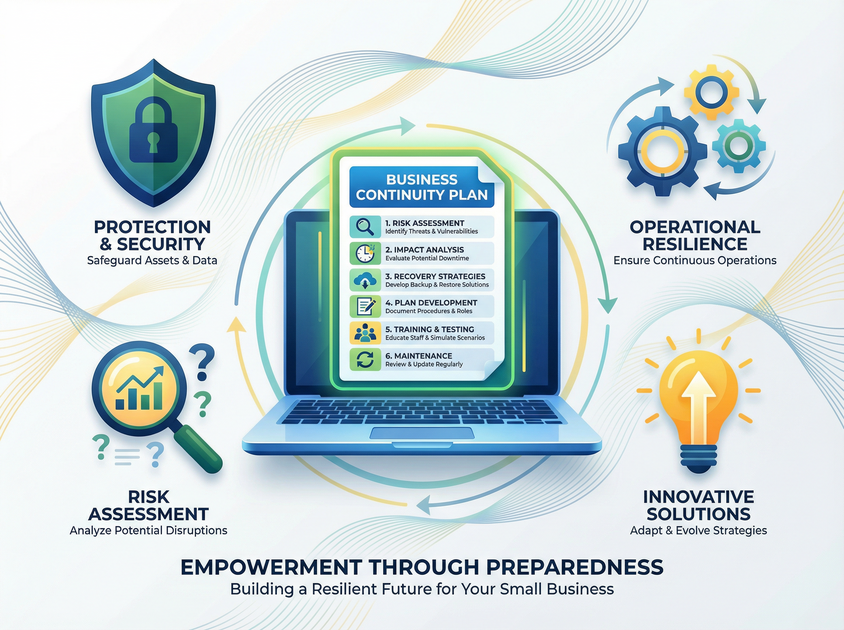
How to Create a Business Continuity Plan for a Small Business
Let me ask you something direct. If your laptop died tomorrow morning, do you know exactly what you would do? Not roughly — exactly. Where is your client data backed up? Who has access to your accounts? How long could you keep operating before things started falling apart?
If those questions make you a little uncomfortable, you are not alone. Most people building a small business spend their energy on the things that grow the business — getting customers, delivering work, managing cash flow. Planning for what happens when something breaks feels like a luxury for later. A corporate thing. Something a company with a risk management department worries about.
But here is what can happen to real people running small operations: one bad event — a hard drive failure, a two-week illness, a vendor that suddenly goes dark — can stop everything. Not slow things down. Stop them completely. And the difference between recovering quickly and losing clients, income, and momentum is almost always whether someone had a written plan sitting somewhere, waiting to be used.
A business continuity plan — that is just a document that explains what your business will do to keep running when something unexpected disrupts normal operations — does not need to be a 40-page corporate document. For a small business, two to five pages is plenty. The goal is a plan that actually exists, not a perfect plan that never gets written.
This post will walk you through exactly how to build one this week.
What a Business Continuity Plan Actually Is (and What It Is Not)
Before you can write one, it helps to understand what you are actually building. A business continuity plan — sometimes called a BCP — is a written document that answers one core question: if something disrupts my business, what do I do next?
It covers things like: Which parts of your business absolutely must keep running? What are the biggest risks to those functions? Who does what when something goes wrong? Where is everything backed up? How do you communicate with clients if you go dark unexpectedly?
What it is not: a guarantee that nothing bad will happen, a legal shield against every possible liability, or a document you need a consultant to write for you. No plan eliminates all risk — anyone who tells you otherwise is overselling. What a plan does is shrink recovery time and give you something solid to act on instead of panicking.
The Difference Between Continuity and Disaster Recovery
You might also hear the phrase disaster recovery plan, and it is worth knowing how it differs. Disaster recovery focuses specifically on restoring data and technology systems after a failure — think: your files get corrupted, your system crashes, or your email goes down. Business continuity is broader. It covers your people, your operations, your vendors, and your communications — not just your tech. For a small business, your plan will likely blend both. That is fine. You do not need separate documents. One short, clear plan that addresses both is more than enough.
Why Small Business Owners Put This Off
Honestly, I get it. When you are running a one-person business or a tiny team, the idea of writing a continuity plan sounds like homework that never quite makes it to the top of the list. There is always something more urgent. But the people who get hit hardest by an unexpected disruption are almost always the ones who told themselves they would get to this later. Later tends to arrive at the worst possible time — mid-project, during your busiest season, right after landing a big client. Writing this down now, when everything is fine, takes a few hours. Figuring it out under pressure takes much longer and costs far more.
What Qualifies as a “Disruption”
For a small business, disruptions are rarely dramatic. You probably will not face a natural disaster or a massive data breach. The situations that actually stop small businesses tend to be much more ordinary: your laptop dies and your work is not backed up anywhere. You get sick for two weeks during a busy stretch. Your main supplier goes out of business with no warning. A key contractor ghosts you mid-project. Your internet goes down for three days. Your business email gets compromised. None of these are unlikely. Most small business owners face at least one of them within the first few years. A written plan means you have already thought through your response before you need it.
Identifying Your Critical Business Functions and Weak Points
The first real step in building your plan is figuring out which parts of your business matter most. Not everything is equally important. Some functions, if disrupted, would barely register. Others would bring everything to a halt. You need to know the difference.
Start by asking yourself: what has to happen for me to keep getting paid? That usually surfaces your critical functions fast. For a freelance designer, it might be: client communication, file access, and invoicing. For someone running a small e-commerce shop, it might be: order processing, supplier fulfillment, and customer support. Write down your top three to five critical functions. These are the things your plan needs to protect.
Finding Your Single Points of Failure
A single point of failure is any part of your business where one thing going wrong brings everything else down with it. Think of it as the weakest link. If that one thing fails, there is no backup, no workaround, no fallback — just a stop.
Common single points of failure for small businesses include: all client data stored only on a local hard drive with no cloud backup, one person who handles everything and no documentation of how they do it, a single supplier for a product or service with no alternative, one email account with no recovery method, or a business phone number tied to a personal device that could break or get stolen. Go through your critical functions and ask: where is there only one version of this? Where do I have no backup at all? Those are your single points of failure, and they are what your plan needs to address first.
Common Disruption Scenarios Worth Planning For
You do not need to plan for every conceivable scenario. Focus on the ones most likely to affect a small business. A power outage lasting more than a day. A key person — maybe you, maybe your only employee or contractor — being unavailable for one to two weeks due to illness or emergency. A core vendor or platform going down or shutting down unexpectedly. A data breach or compromised account. Physical damage to your workspace from fire, flood, or theft. Run through each one and ask yourself: if this happened tomorrow, what would I do in the first 24 hours? If you cannot answer that clearly, it belongs in your plan.
How to Prioritize What Gets Addressed First
You do not have to solve every problem at once. After listing your single points of failure and your most likely disruption scenarios, rank them by two factors: how likely is this to happen, and how bad would the impact be? Anything that scores high on both deserves a solution now. Things that are unlikely and low-impact can wait. This keeps your plan short, focused, and actually usable — which is exactly what you want.
Building Your Basic Data Recovery Plan
If there is one section of your continuity plan that pays for itself immediately, it is your data recovery plan. Losing files — client work, financial records, contracts, contact lists — is one of the most disruptive things that can happen to a small business. And it is almost entirely preventable with a simple system set up in advance.
A data recovery plan is just a clear record of what data you have, where it lives, how it is backed up, and how you would restore it if something went wrong. You do not need expensive software or an IT team. You need a system and the discipline to follow it.
The 3-2-1 Backup Rule
There is a straightforward backup standard worth knowing called the 3-2-1 rule. Keep three copies of your important data: two stored on different types of local media (for example, your main computer and an external hard drive), and one stored offsite or in the cloud. For a small business, “offsite” usually just means a cloud storage service like Google Drive, Dropbox, or iCloud. This is not a technical setup — it takes about 20 minutes to configure automatic backups on most devices. The U.S. Cybersecurity and Infrastructure Security Agency (CISA) has a plain-English breakdown of data backup options worth reviewing if you want to go deeper.
What Data Actually Needs to Be Backed Up
Client files and project work are the obvious ones. But do not stop there. Your financial records, invoices, tax documents, and account passwords belong in your backup system too. So do your contracts, vendor contact information, and any login credentials for tools and platforms you use regularly. With clean backups of everything, a hardware failure is a few days of recovery. Without them, it can mean weeks spent trying to reconstruct client records from memory. The difference was not skill — it was preparation.
How to Document Your Recovery Steps
Backing up your data is only half of it. You also need to write down, in plain language, what you would actually do to restore things if something went wrong. Which files are where? What is the process to access your cloud backup? Who else might need access in an emergency? This does not need to be technical. Write it as if you were explaining it to a friend who has never seen your system before. Keep it somewhere you can find it when your main device is unavailable — which means not only on your laptop.
How to Write Your Business Continuity Plan This Week
You now have the building blocks. This section puts them together into a document you can actually write in a few focused hours across a couple of evenings. The structure below is all you need. Do not overthink the format. A clear Word document or Google Doc works perfectly. You can find a free reference framework from Ready.gov’s Business Continuity Planning resources if you want a starting point.
The Five Sections Every Small Business Plan Needs
Keep it short. Keep it specific to your business. Here is the structure:
1. Business Overview and Critical Functions. One paragraph describing what your business does, who depends on it, and a list of your top three to five critical functions — the things that must keep running for you to stay operational and keep getting paid.
2. Risks and Single Points of Failure. A short list of your biggest vulnerabilities: the things with no backup, no redundancy, and no workaround. Be honest here. The value of this section is in the honesty, not the polish.
3. Response Plans by Scenario. For each of your most likely disruption scenarios — power outage, key person unavailable, vendor failure, data breach, physical damage — write two to four sentences explaining what you would do in the first 24 to 48 hours. Who do you call? Where do you go? What do clients need to know? Keep it practical and specific.
4. Data Recovery Details. Document your backup system: what is backed up, where, how often, and how to restore it. Include login information stored securely, and note who else has access or would need access in an emergency.
5. Communication Plan. How would you notify clients if you went unexpectedly dark for a week? Who needs to know what, and how quickly? A simple template for a client email explaining an unexpected disruption is worth writing now, when you have the mental space to do it well.
Keeping the Plan Short and Usable
Two to five pages is the target. If your plan is longer than that, it is probably more detailed than it needs to be for a small operation. The measure of a good plan is not its length — it is whether you could hand it to someone else and have them understand what to do. Review it briefly every six months, especially after a big change in your business: a new tool, a new vendor, a new employee or contractor. Things shift. Your plan should too.
Storing and Sharing Your Plan
A plan that only lives on your laptop is a plan that disappears the moment your laptop fails. Store a copy in the cloud, email it to yourself, and if you have a partner or trusted person involved in your business, share it with them. If you are truly a one-person operation, consider leaving a printed copy or a shared cloud document with someone you trust — a family member, a business partner, anyone who could step in to contact clients or access key accounts if you were suddenly unavailable. This is the part most people skip, and it is the part that matters most in a real emergency.
Before Something Forces Your Hand — Start Your Plan This Week
A business continuity plan is not a corporate formality. It is a short, honest document that answers the question every small business owner should be able to answer: if something goes wrong tomorrow, what happens next? You do not need a risk department or a consultant. You need a few hours, a clear structure, and the discipline to write it down before you need it.
This week, open a blank document and write down your three most critical business functions and your three biggest single points of failure. That is your starting point. Everything else builds from there. Set up one cloud backup if you do not already have one, and sketch out what you would tell clients if you went dark for a week unexpectedly.
The difference between a business that recovers from a disruption in 48 hours and one that loses clients over it is not luck — it is whether someone took the time to write the answers down before the question got asked the hard way.

